WooCommerce · Dolibarr · ERP · Automatisation · February 15, 2025 · 7 min read
Syncing WooCommerce and Dolibarr: lessons from the field
Syncing a WooCommerce store with a Dolibarr ERP is full of pitfalls. Stock conflicts, duplicates, images... Here's how I solved them with B2Sync.
Why synchronize?
If you manage an e-commerce store with an ERP, you know the problem: double entry. An order comes in on WooCommerce, someone re-enters it in Dolibarr. Stock is updated in the ERP, someone remembers to update the website. A new product is created... in only one of the two systems.
The result? Errors. Stock that doesn't match. Lost orders. Time wasted on tasks a machine does better than a human.
At VOGLIO BENE, with ~1400 references and 50+ B2B orders per day, manual entry was simply no longer sustainable. That's what drove me to develop B2Sync, a bidirectional Dolibarr synchronization module for WooCommerce.
Options on the market
Before developing a custom module, I evaluated the alternatives:
- Manual entry: That's where we were coming from. No thanks.
- CSV export/import: Works for one-offs, but unmanageable daily across 1400 products.
- Existing plugins (Zapier, WP ERP Bridge, etc.): Too generic, no fine-grained conflict management, and often unidirectional.
- Custom development: More upfront investment, but tailored exactly to the needs.
The catalog complexity (variants, specific categories, B2B pricing) made generic solutions insufficient. I went custom.
Classic synchronization pitfalls
Three years of WooCommerce/Dolibarr sync taught me that problems almost never come from where you expect. Here are the nastiest traps:
Stock conflicts
Trap number one. A customer orders on the site while a sales rep modifies stock in Dolibarr. Who's right? Without conflict management, the last write wins - and you end up selling a product that's out of stock.
My solution: a system of timestamps and source-based priority. Web orders always take priority over manual modifications for decrements. For increments (goods received), the ERP takes precedence.
Product duplicates
When two systems create products, duplicates are inevitable if matching isn't robust. The product reference (SKU) isn't always enough - you need to handle cases where it was entered differently, with extra spaces or different casing.
My solution: SKU normalization on import (trim, lowercase), and a persistent mapping system that links IDs from both systems once the first match is established.
Category mapping
WooCommerce and Dolibarr don't share the same category structure. A WooCommerce category might correspond to multiple Dolibarr tags, or vice versa. And categories evolve.
My solution: an administrable mapping table in Dolibarr, with a dedicated interface for creating and modifying mappings.
Variant management
WooCommerce handles variations (size, color) natively. Dolibarr... much less so. Variant mapping is a headache, especially when attributes don't match 1:1.
My solution: each WooCommerce variant is mapped to a distinct product in Dolibarr, with a naming convention that allows finding the parent product.
Character encoding
It seems trivial, but UTF-8 encoding between a REST API, a WooCommerce MySQL database, and a Dolibarr PostgreSQL database can cause subtle bugs. Accents that disappear, special characters that break JSON.
My solution: systematic encoding validation and sanitization at every entry/exit point.
B2Sync's architecture
B2Sync relies on three principles:
1. Queue system
Every modification (product, stock, order) is added to a queue rather than synced immediately. This handles load spikes, allows retries on error, and avoids overloading APIs.
2. Bidirectional sync with source of truth
Depending on the data type, the source of truth changes:
- Products: Dolibarr is master (the ERP holds the reference product data)
- Orders: WooCommerce is master (that's where orders are created)
- Stock: priority rules based on context (see conflicts above)
3. Logs and traceability
Every sync operation is logged with: timestamp, direction, before/after data, result (success/failure/conflict). When a problem occurs, I can trace exactly what happened.
Image sync: the underestimated problem
Nobody thinks about images when discussing ERP/e-commerce sync. Yet it's one of the most painful problems.
Images are heavy. Transferring them via API on every sync is slow and bandwidth-expensive. You need to detect if an image changed (hash), manage different formats and sizes between systems, and ensure URLs remain valid after sync.
I implemented a differential sync system: only modified images are transferred, with a hash cache on the Dolibarr side. This reduced image sync time by 90%.
Monitoring and alerts
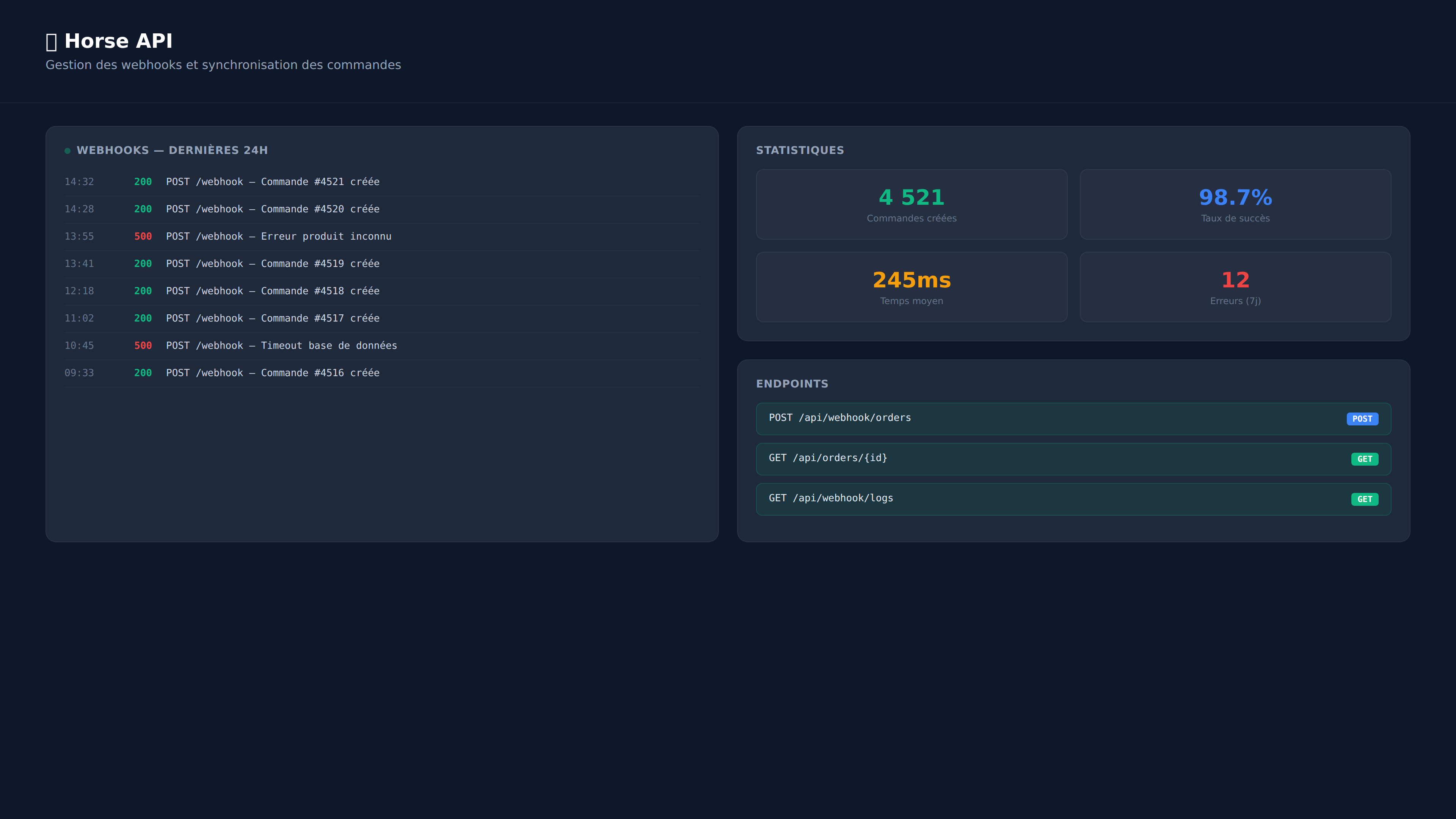
A sync running on cron is invisible - and that's the problem. When it breaks, nobody notices until a customer reports a bug.
B2Sync includes:
- A dashboard in Dolibarr showing queue status, recent syncs, and errors
- Email alerts when the queue exceeds a threshold or an unresolved conflict is detected
- Metrics: average sync time, error rate, volume processed
This monitoring is what makes the difference between a module that "works" and one that's reliable in production.
Conclusion
Syncing WooCommerce and Dolibarr isn't a simple technical problem - it's a business logic problem. The APIs are documented, the code isn't particularly complex. What's complex are the edge cases, conflicts, and long-term reliability.
Good synchronization delivers immediate ROI: no more double entry, fewer errors, reliable stock levels, and a team that can focus on high-value tasks instead of data entry. At VOGLIO BENE, B2Sync processes 50+ orders per day with zero human intervention. The time saved amounts to hours every week.
A similar project?
Custom quote within 24 h, no commitment.